
Build on VX Framework. Run the site from one plugin.
Front-end forms for posts, sign-ups, and logins. A sheet that edits every post at once. Admin columns that show what matters, rules a post must meet before it publishes, VX fields in Elementor, membership plans that limit posting, private messaging between members, email notifications, and a one-time move from ACF, Meta Box, or Pods. VX Modules adds the day-to-day tools to VX Framework, the free data-modeling plugin from 27collective, the makers of Voxel.
Edit in bulk, safely
Every write goes through VX's own validation. A value VX won't accept is marked on the cell with the reason, not written anyway.
Nothing to learn twice
Fields, choices, and terms come straight from your VX fieldsets. Change a fieldset and every screen, and every form, follows.
Modules, not a monolith
Each feature area has a switch. Off means its hooks, screens, and abilities are gone until you want them back.
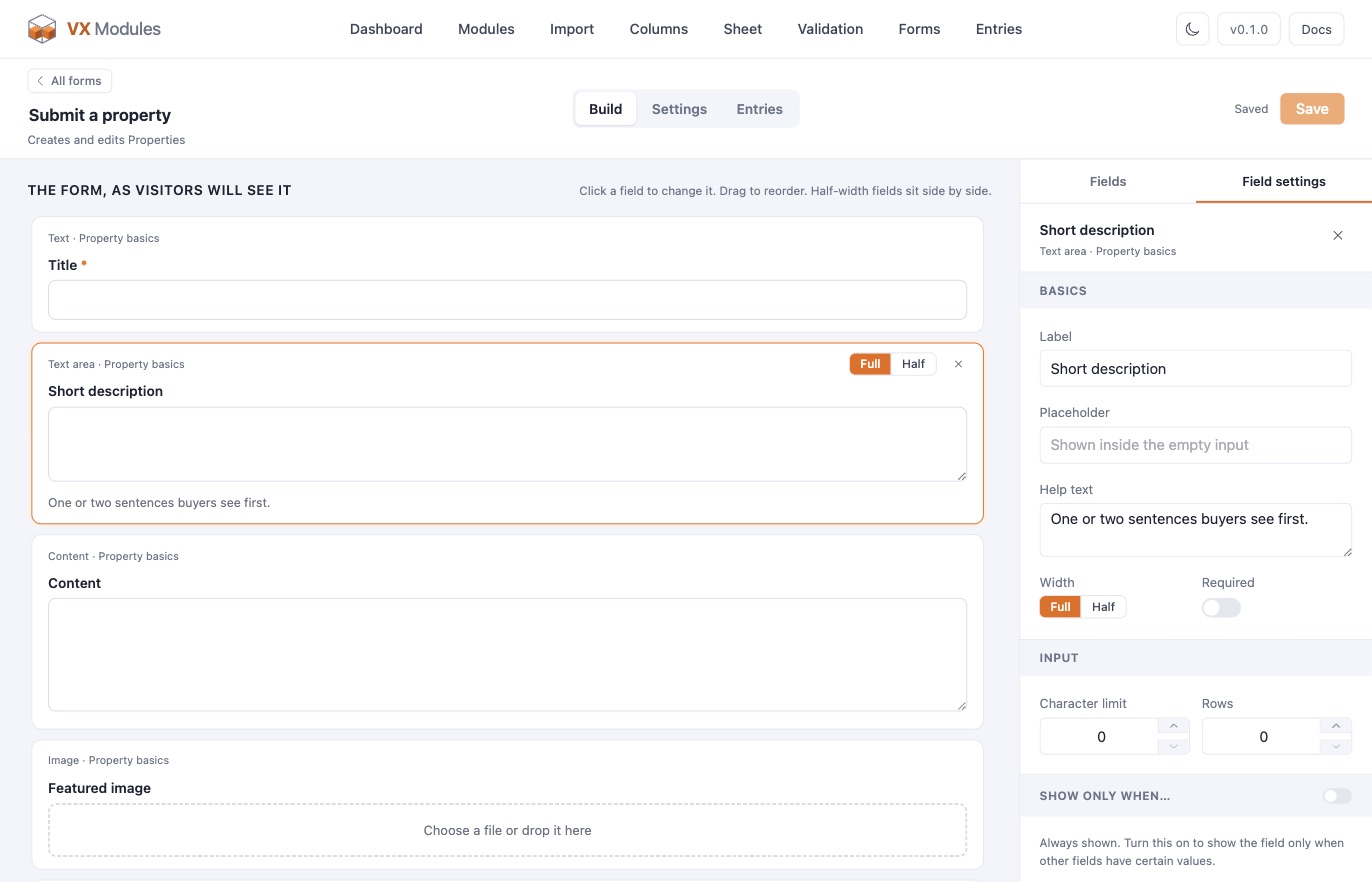
Forms that already know your fields.
Pick a post type and the form starts with every field VX knows about. Post forms create or edit, standalone forms take messages, and registration, login, and password reset forms run your member area on your own pages. Place any of them with a shortcode, the block editor, Elementor, or Bricks.
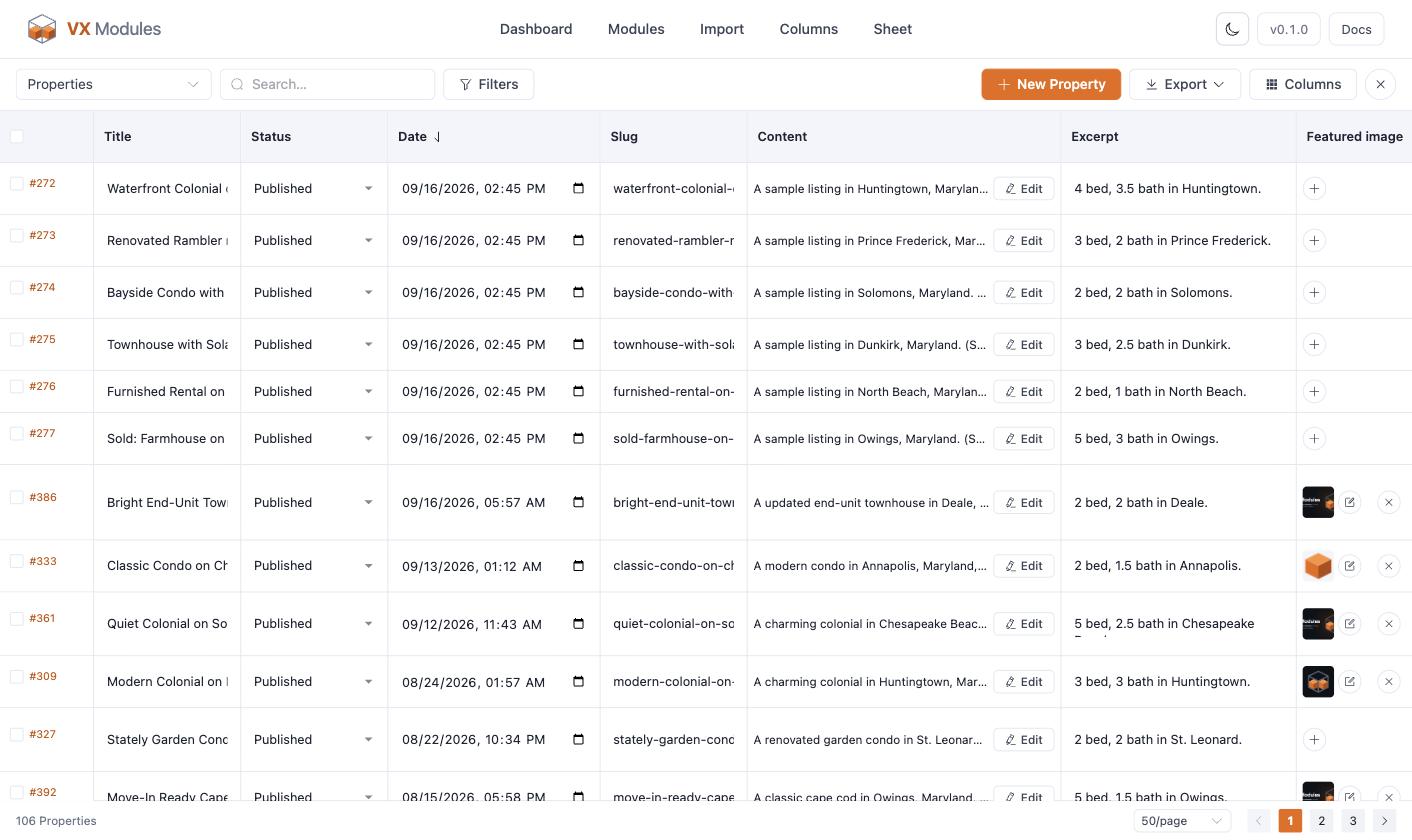
A hundred listings. One screen.
The Sheet puts every post of a post type in a full-screen grid, with the post's own fields, its taxonomies, and every VX field as a typed cell. Filter, sort, page, hide columns, add rows, duplicate, and bulk edit a column with a preview before anything changes.
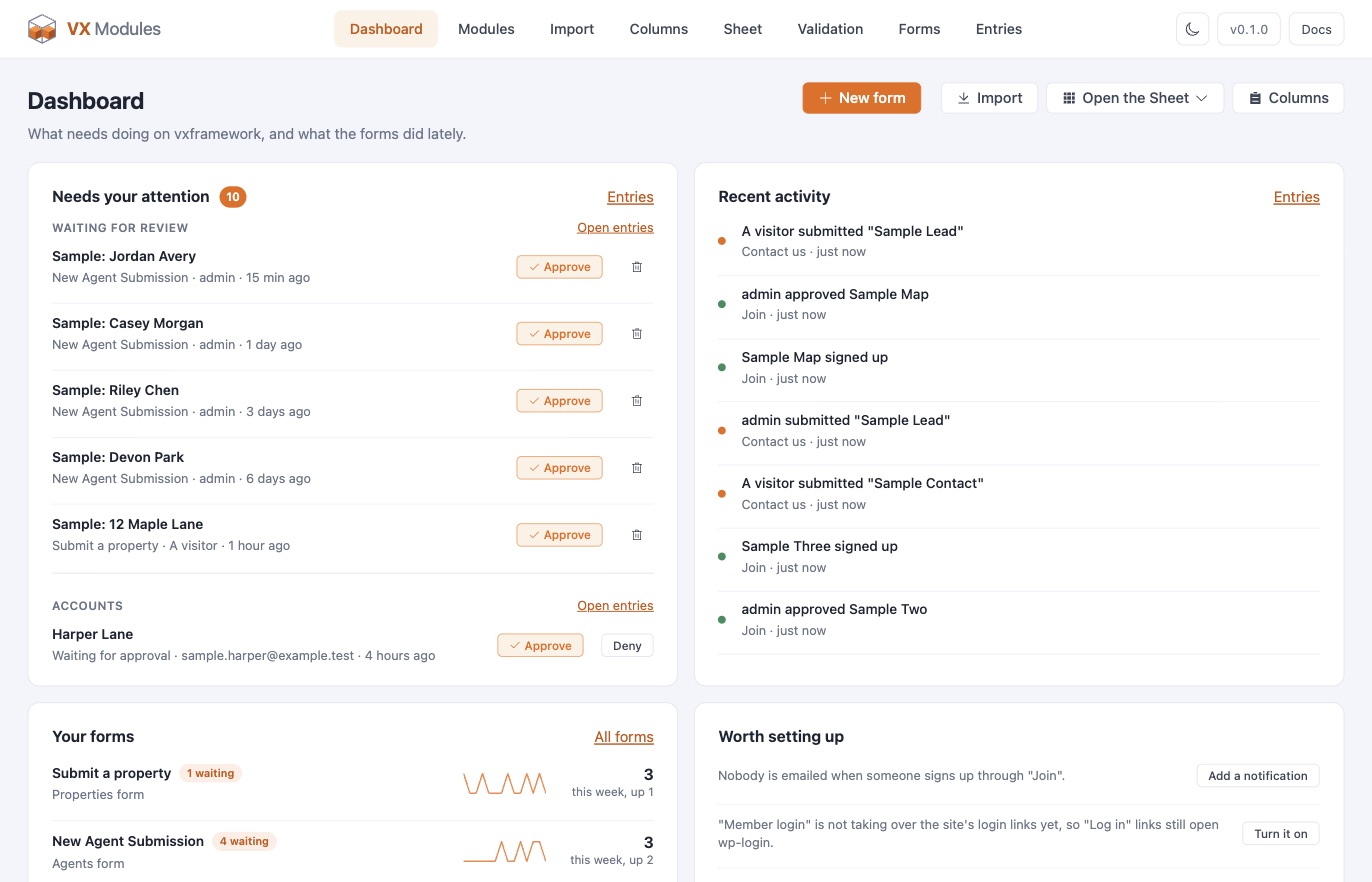
One dashboard for what needs doing.
Posts waiting for review, accounts waiting for approval, and posts published with a rule unmet, each with its action right there. Recent activity across every form, a two-week line per form, and nudges for settings worth turning on.
What's in the box.
Ten modules are built, and every plan includes all of them. Each one is a card with a switch on the Modules screen, so a new module never changes a site that does not turn it on. Notifications and the importers are built in and always there.
Forms
Post, contact, registration, login, and password reset forms with notifications, entries, FluentCRM, and Turnstile.
Sheet
Full-screen grid editing with filters, new rows, duplicates, bulk edit, and export.
Admin columns
Columns per post type with formatting, sorting, filters, Quick Edit, and per-column bulk edit.
Validation
Rules a post must meet before it publishes, enforced in every editor, in forms, in the Sheet, and over REST.
Elementor
Nine dynamic tags, a VX picker beside every control, visibility rules and loops on any element.
Memberships
Plans sold as FluentCart subscriptions that decide how many posts a member may have, with perks, expiry, and a pricing table.
Messaging
Private conversations between members and about a listing: threads, groups, files, read receipts, and a chat dock in the corner.
Notifications
Emails when a post is submitted, published, approved, or sent back, and for accounts and memberships. Built in.
FluentCart
Product, cart, and customer data in the picker, a variations loop, store rules, and product options forms.
WooCommerce
The same tags, rules, and product options forms for WooCommerce, with the block cart and checkout supported.
Importers
ACF and Secure Custom Fields, Meta Box, and Pods: field groups, post types, taxonomies, and values. Built in.
WP All Import
A VX section in the mapping step, with auto-assign by field key. The free edition is enough.
Start with VX Framework.
VX Modules is an add-on for VX Framework, the free data-modeling plugin from 27collective, the makers of Voxel. Install the framework, model your site, then add the modules you want.
Questions.
Does it work with Elementor Pro?
Yes. VX Modules works with Elementor and Elementor Pro: dynamic tags, visibility rules, loops, and the form widget in either. Single and archive templates, headers, and footers built in Elementor use Elementor Pro's Theme Builder, which VX Modules does not replace.
Does it change my data?
Only when you tell it to. Every write goes through VX's own validation, the importer shows a plan and offers a dry run for each step, and bulk edits preview before they apply.
Can I turn a module off later?
Yes. Turning a module off removes its hooks and screens. Nothing it stored is deleted, so turning it back on picks up where you left off.
Who makes what?
VX Framework is made by 27collective, the makers of Voxel, and released as a free, open-source plugin. VX Modules is made by Code Wattz, the team behind Voxel Toolkit, and is not affiliated with 27collective.
Hear when a new module lands.
Ten modules today, and the list keeps growing. One email when a new one is available — no spam, no drip campaign, and your license already covers whatever ships next.