
Forms
Every form your site needs, built from the fields it already has.
Post forms, contact forms, product options for FluentCart, and a complete member area on your own pages. Fields, choices, and terms come from your VX fieldsets, and every submission goes through VX's validation.
Six kinds of form.
Post form
Creates or edits posts: listings, profiles, events, anything that is a post type with VX fields. The same form edits a post its author made when the page address carries the post ID.
Standalone form
Contact, inquiry, feedback. Fields of your own from a built-in kit, with submissions kept as entries and sent by email.
Registration form
Signs visitors up as users: account fields, VX's user fields, and the kit. A default role or one the visitor picks, approval, email verification, and sign-up limits.
Login form
Email or username, password, and remember me. After login, back where they were, a message, or a page, per role if you like.
Password reset form
Both steps on one page: ask for the email, send a link, take the new password under the same rules as registration, then log them in.
Product options form
With FluentCart: what a buyer tells you before a product goes in the cart, such as text to engrave or a file to print. The answers ride with the item into the order and onto the receipt.
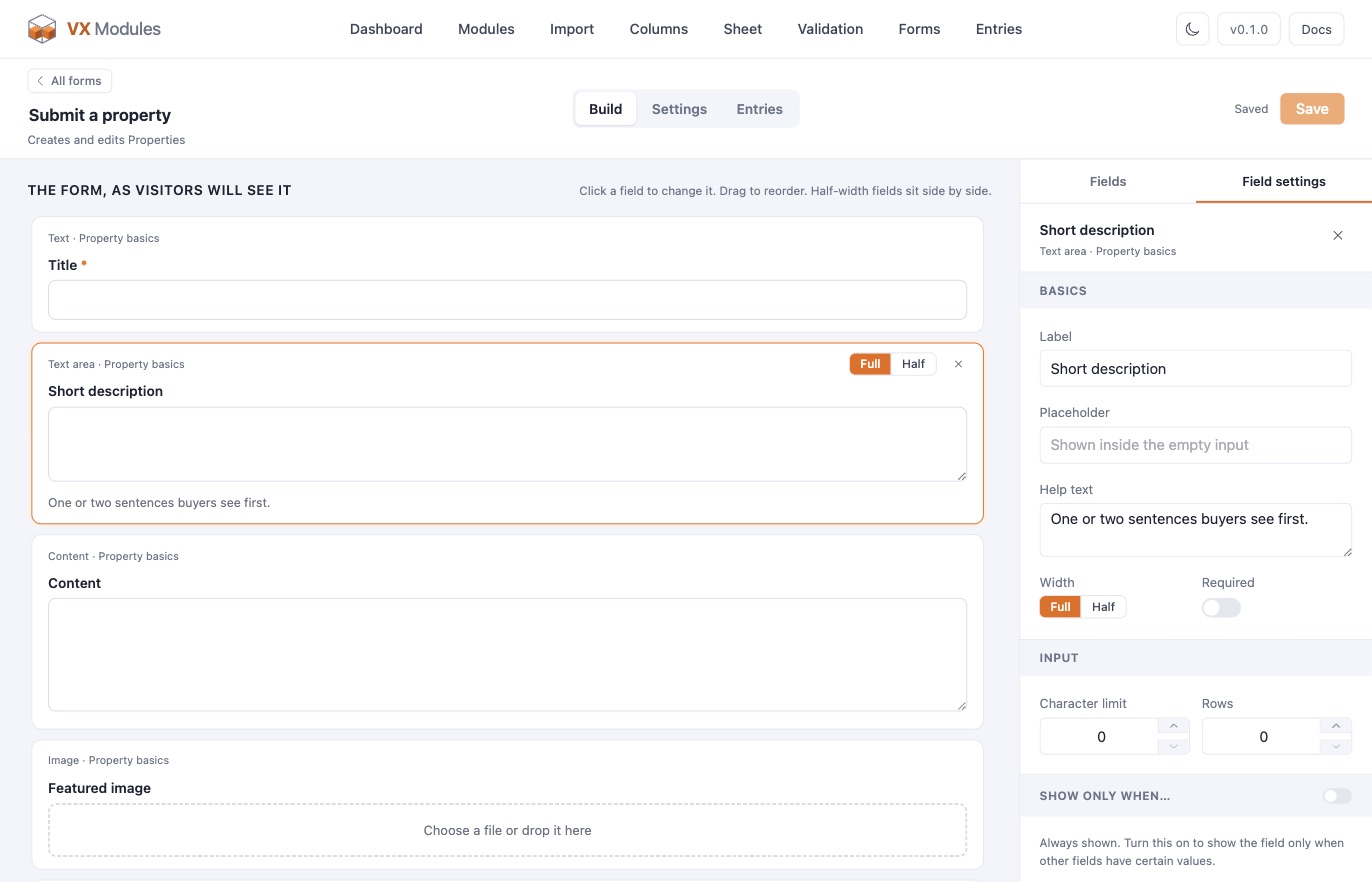
A builder that draws the form the way visitors will see it.
Fields sit on the canvas as they will on the page. Click one to rename it, add a placeholder and help text, set it full or half width, mark it required, or show it only when another field has a certain value. Headings and text blocks for layout. Visitors get the right input per field: uploads and galleries, related-post and user pickers with search, term lists, groups, repeater rows, dates, colors, switches.
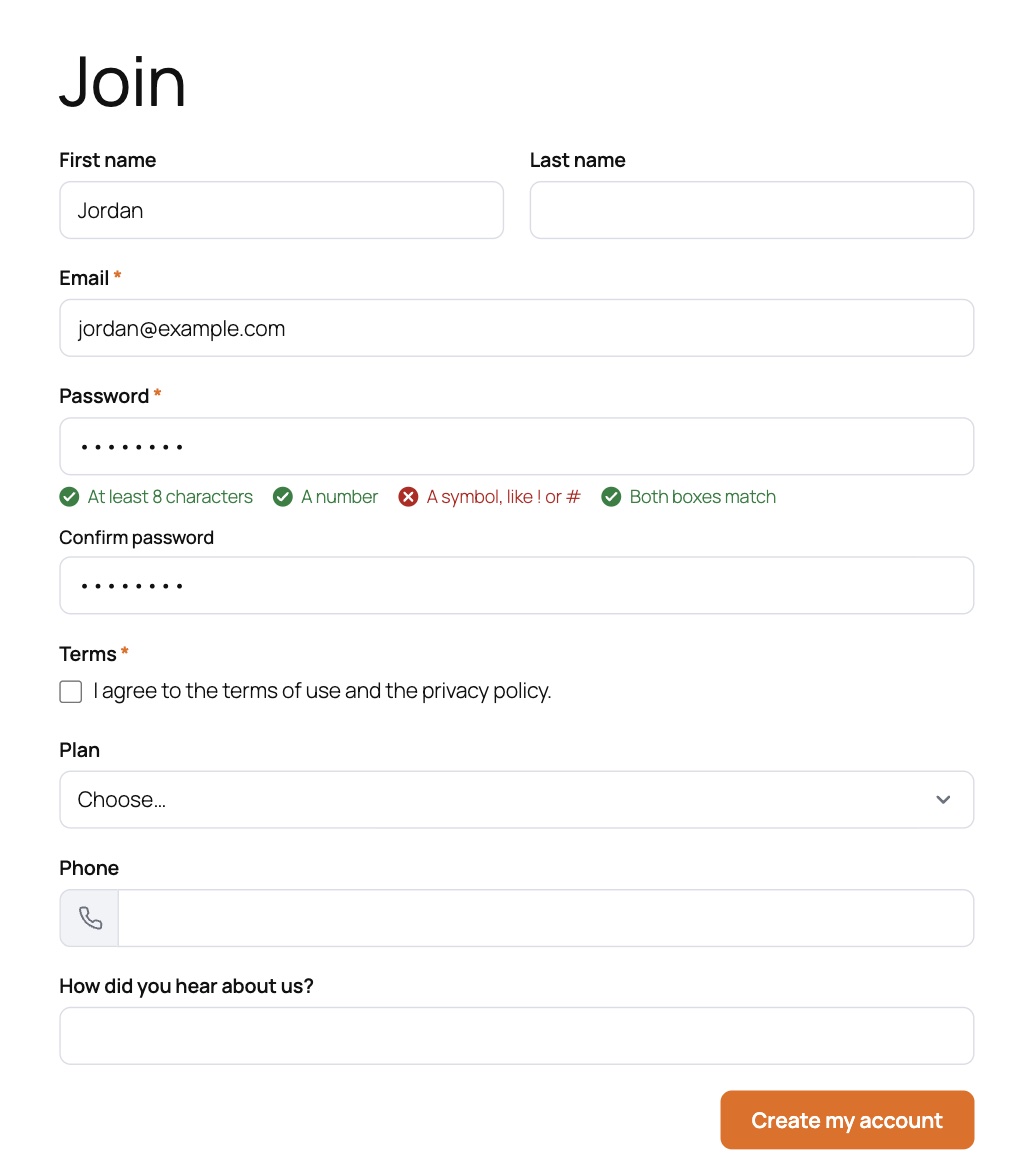
Sign-ups, logins, and password resets on your own pages.
Password rules turn green as the person types. Choose the role, or let them pick one, hold accounts for approval, verify email by link, and cap sign-ups per visitor. Login and reset forms replace wp-login: every "Log in" and "Lost your password?" link on the site, and the link in WordPress's own reset email, can point to your pages. Wrong details read the same either way, and failed tries are limited per visitor.
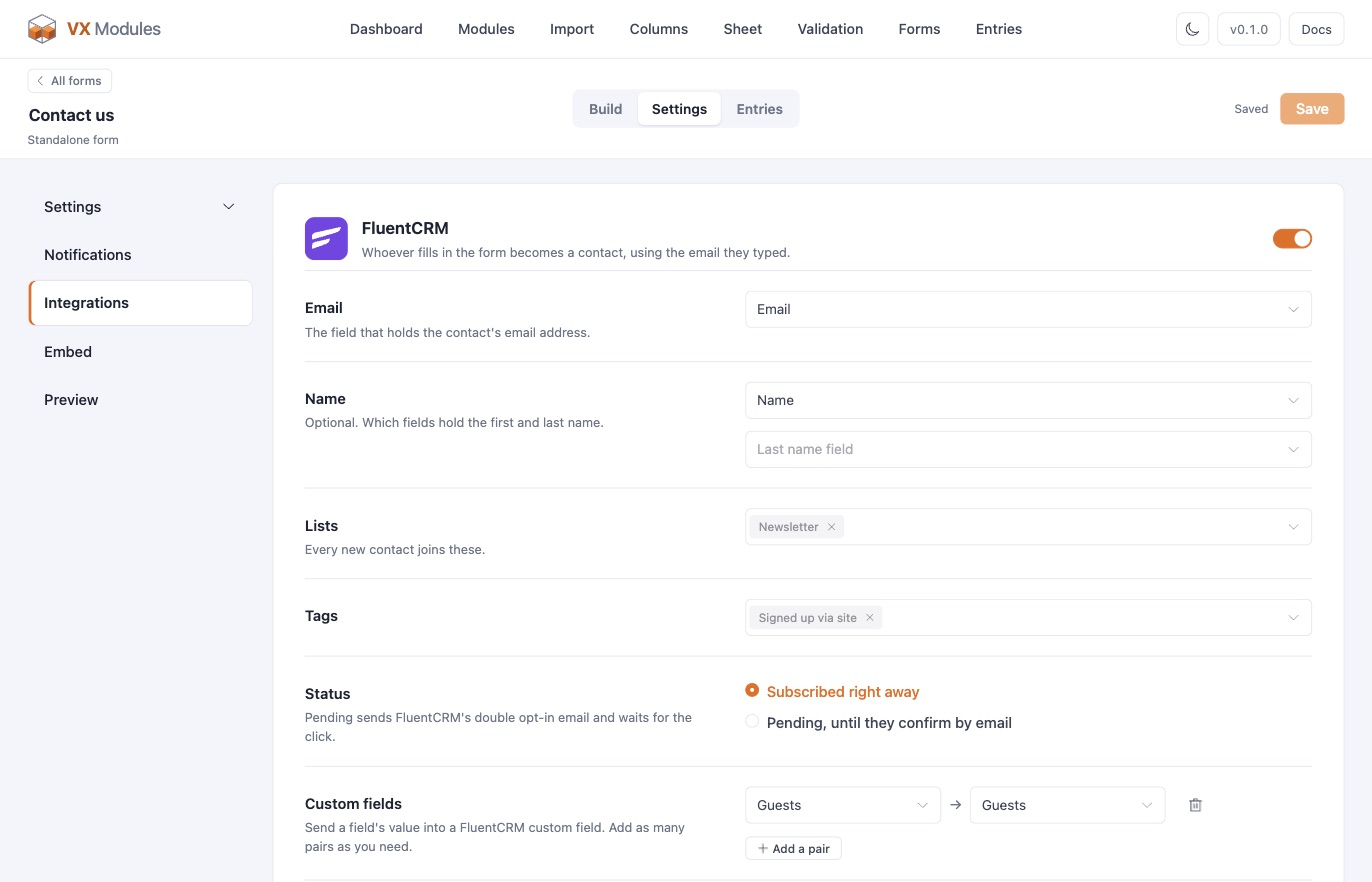
Each form has its own settings, notifications, and integrations.
Confirmations, who can submit, what a new post becomes, bot checks, and visitor details, laid out on one page with a menu that follows the headings. Email notifications have a visual editor with smart codes, a recipient typed in or picked from a field, and rules for when each one sends. With FluentCRM active, any form can add the person to lists and tags, subscribed or pending double opt-in, and pair its fields with FluentCRM custom fields.
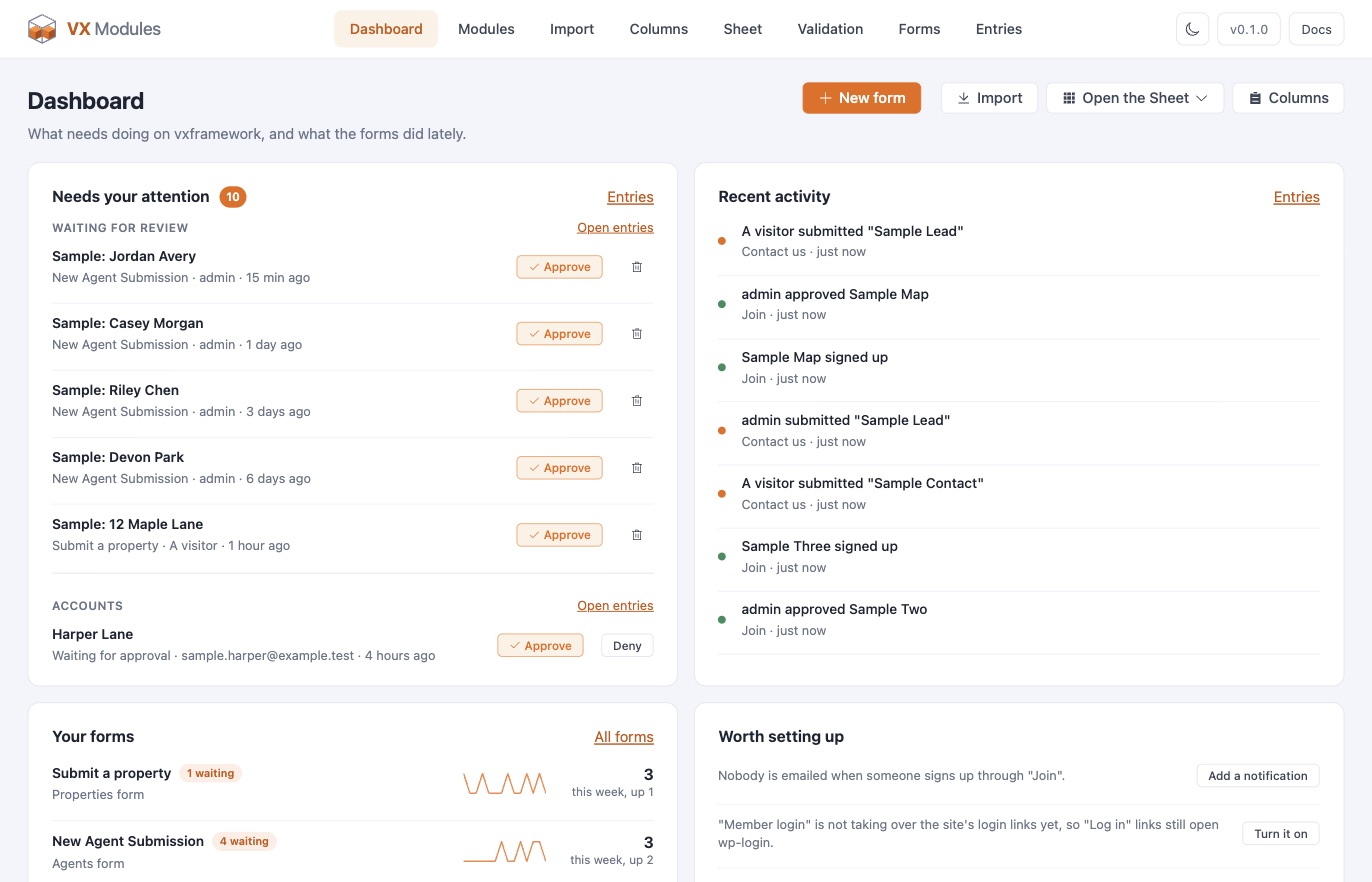
Entries, a dashboard, and a CSV of any view.
The Entries screen lists every post and account that came through a form, with approve, deny, resend, and trash. The dashboard puts what needs doing first: posts waiting for review, accounts waiting for approval, and posts published with a rule unmet, each with its action right there. Export any view as a CSV, with one column per field when a single form is chosen.
Placing a form
Any builder, the same style controls.
A shortcode, the VX Form block in the block editor, the VX Form widget in Elementor, or the VX Form element in Bricks. Each builder offers the same set of style controls: layout, labels, inputs, prefix and icon boxes, choices and switches, help text and password rules, the upload area, the button with alignment and width, messages and links.
Bots
A hidden trap field and a timing check on every form, and Cloudflare Turnstile with one switch per form. Keys are set once for the site, or picked up from a plugin that already has them.
Visitor details
Browser, device, screen size, language, time zone, the page the form was on, and how long it took, shown on the entry. Off by default for the IP address.
Validation
VX's own required fields stay required, and any publishing rule set on the post type applies to the form too, with the same message.
Limits
Sign-ups, reset requests, and failed logins are limited per visitor over minutes, hours, days, or months.
Forms are one of ten modules.
Every plan includes all of them, on as many sites as the plan allows.